
🚀 Collaboration Is Here (in Beta)
Writing is often a solo job, but plenty of you have told us about the co-authors, editors, and beta readers who are part of your process. So we set out to build a space where they can join you on your writing journey, in a way that fits seamlessly into your writing life.
From today, you can invite people into your project inside Novlr, choose exactly what each of them can do, and write and comment together in the same place.
Share your project with people
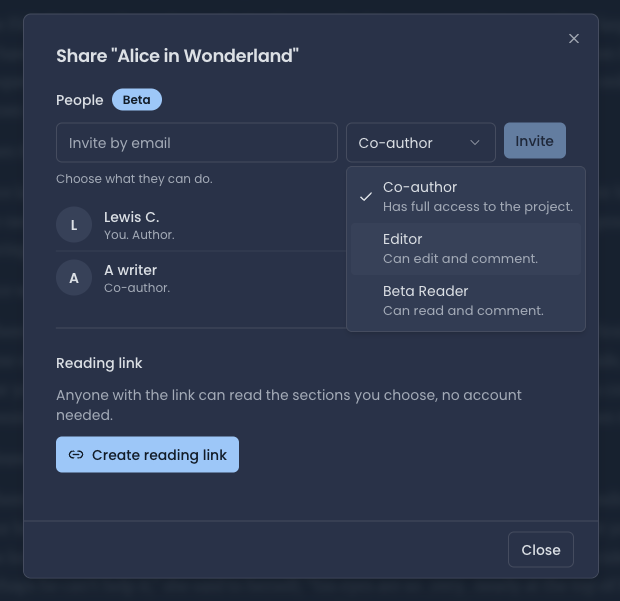
Open the Share dialog on any project and you'll find a new People section, (marked Beta). Type an email address, choose a role, and hit Invite. You'll see everyone with access to the project listed underneath, with their role next to their name.
Choose what each person can do
Every invitation comes with a role:
Co-author: has full access to the project.
Editor: can edit and comment.
Beta Reader: can read and comment.
Write together
Co-authors and editors can work in the same chapter at the same time, live.
What your invitee sees
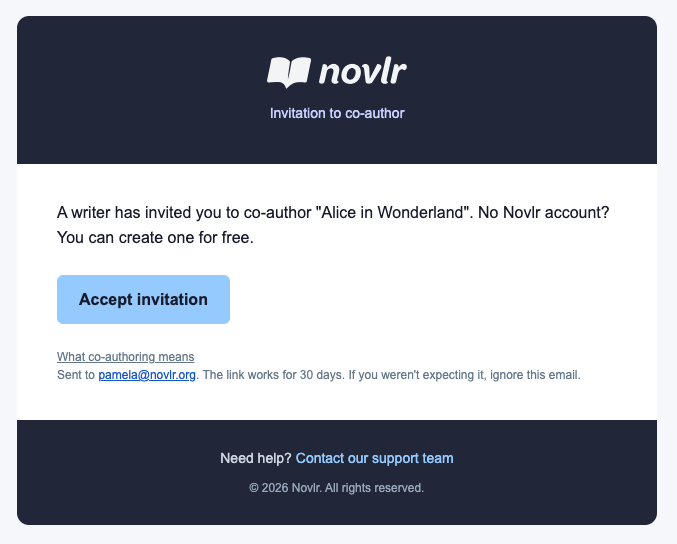
Your invitee receives an email telling them they've been invited to co-author your project, with an Accept invitation button. If they don't have a Novlr account yet, they can create one for free. The link works for 30 days, and the email includes a link explaining what co-authoring means.
Comment on any line
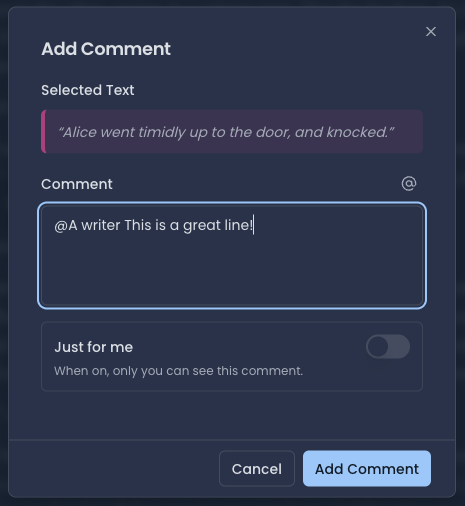
Select any passage in the manuscript and add a comment. Type @ to mention someone you've shared the project with, and reply to their comments to carry the conversation on. If you don't want to share a comment right now, switch on Just for me and it stays completely private, even if the project is shared.
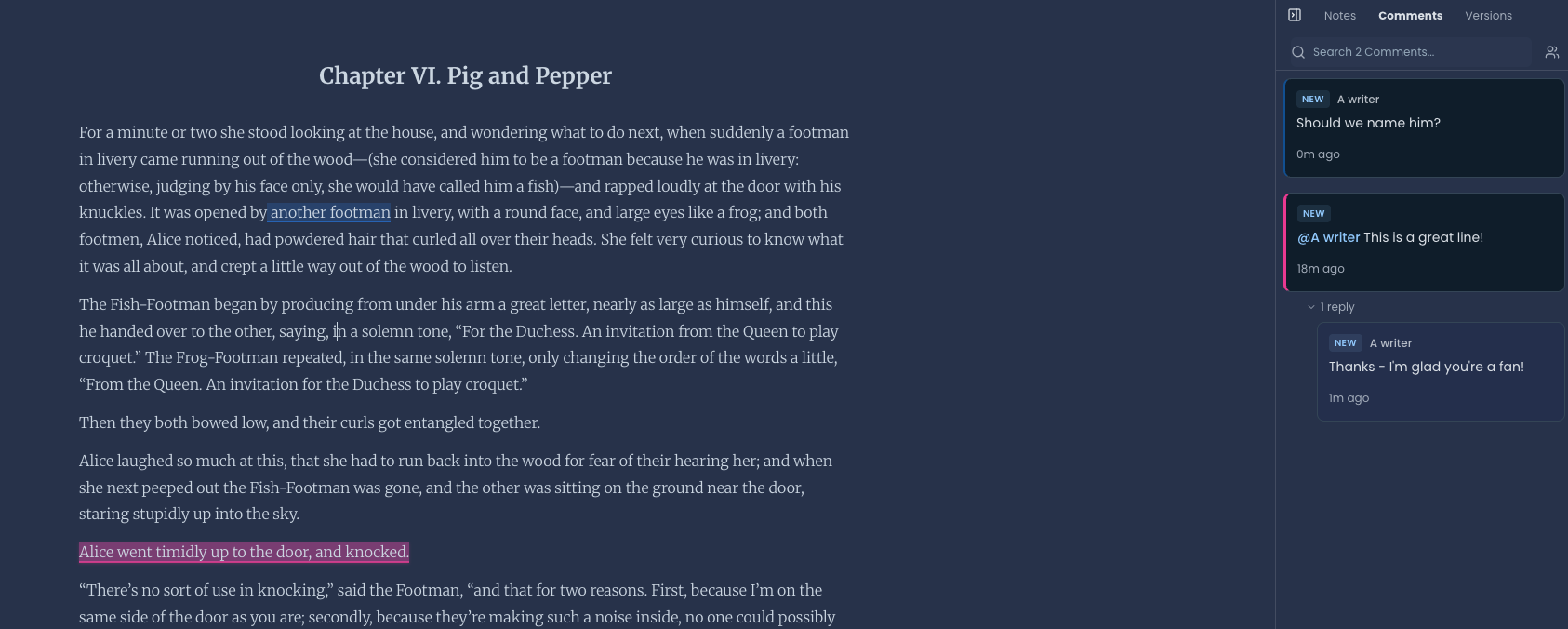
Comments live in the Comments tab of the sidebar, next to Notes and Versions. The commented text is highlighted in the manuscript, and you can search your comments from the same panel.
If someone just wants a quick read, you can still create a reading link and anyone with it can read the sections you choose, no account needed.
Getting started
Open your project and click Share.
Under People, type an email address.
Choose Co-author, Editor, or Beta Reader.
Click Invite.
Select a line in the manuscript and add a comment, using @ to mention someone.
Tell us what you think
Collaboration is in beta and open to everyone, on every plan, including Free. Our co-owners have been putting it through its paces and have already helped us make it better, and there will be more to improve as more of you try it, which is why this is a beta release for now.
If something's broken, confusing, or just a bit rough around the edges, please tell us. If something made you smile, tell us that too. Message us through the in-app chat to share you feedback. We read every message!